
Selecting a custom mosaic tile for your house is very exciting, but there is one thing that you will ask yourself: how will it actually look in my house?
As a single mosaic may be appealing on its own, envisioning it in full scale as your bedroom or bathroom wall can be quite difficult. Several things influence the impression that mosaic design makes. A busy tropical mural might suit a big open room but feel too much on a small wall. A bold geometric pattern might look harsh on its own, then settle in nicely on a curved wall.
That’s the gap the MEC AI Mosaic Studio helps close. Just upload an image of your own room, and you can experiment with your mosaic designs in that very place. Your furnishings and walls will be shown in the background, giving you a true “before and after” experience rather than just a hypothesis.
Here, we’ll review five spaces transformed by AI Mosaic Studio and explore their before-and-after transformations. We’ll also show you how to use this type of preview to make better design decisions and get the most out of your custom mosaic visualization.
Table of Contents
The Power of Context: How Designing on Real Walls Erases All Uncertainty
You don’t pick a wall finish without thinking about the couch in front of it or the light hitting it. It is true for mosaics as well. A mosaic design can be lovely in the virtual world, but the ultimate criteria is how well it blends with your room’s dimensions and color schemes.
Furthermore, inspiration images can be of great help when it comes to deciding on a design. But they are not particularly useful in finding out whether a particular design would suit you or not.
A lavish tropical mural can be really amazing in a hotel lobby area. However, that elaborate pattern may seem too overwhelming if applied in a smaller bedroom. Uploading an image of your very space will allow you to see various mosaic designs in the context of your actual room and find out whether you like the result. This article highlights how five real spaces have been changed with the help of a particular tool. We’ll talk about how to use this feature efficiently.
That’s the difference context makes. With the MEC AI Mosaic Studio, you place the design in your own photographed room instead of imagining it next to a stock photo. Now we’ll explore five different spaces in and around the home and show you their before-and-after transformations. Each transformation demonstrates how the MEC AI Mosaic Studio helps you preview a custom mosaic directly on your own walls, making it easier to choose the right design in just a few steps.
Transformation 1: The Bedroom Accent Wall
Bedrooms often have a big stretch of wall doing nothing. That’s not always a problem, but when the main wall has no focal point, the room can feel unfinished.
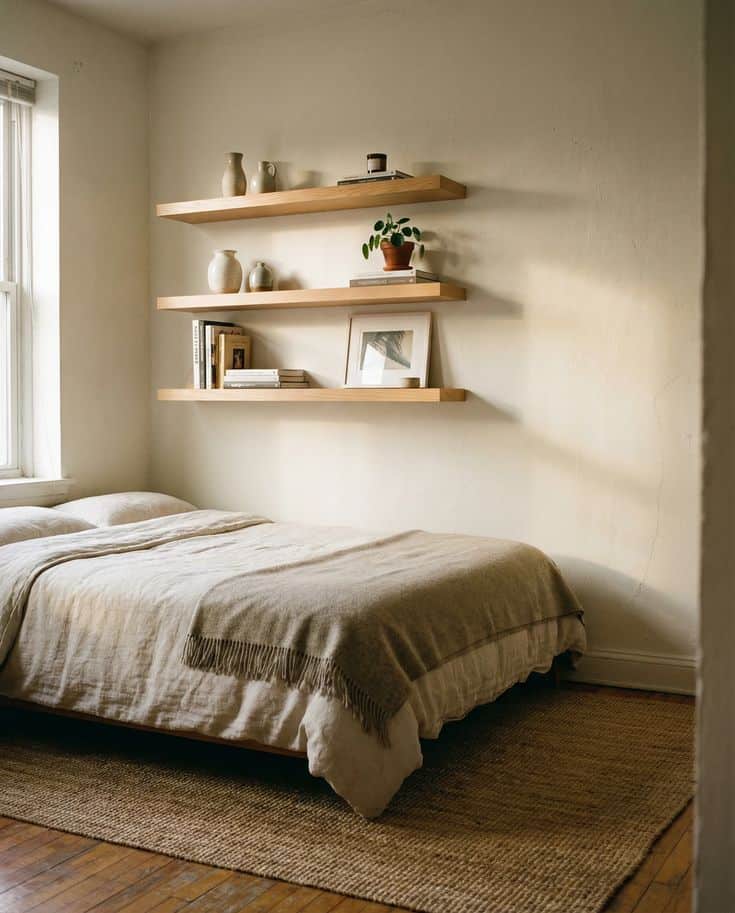
Before: Bare Wall with Floating Shelves and No Focal Point
The original bedroom has floating shelves, some furniture, and a clean, plain wall. Nothing is wrong with it, exactly. It just doesn’t have a clear focal point. Like many spaces transformed by AI Mosaic Studio, your eye wanders around the room instead of landing somewhere.
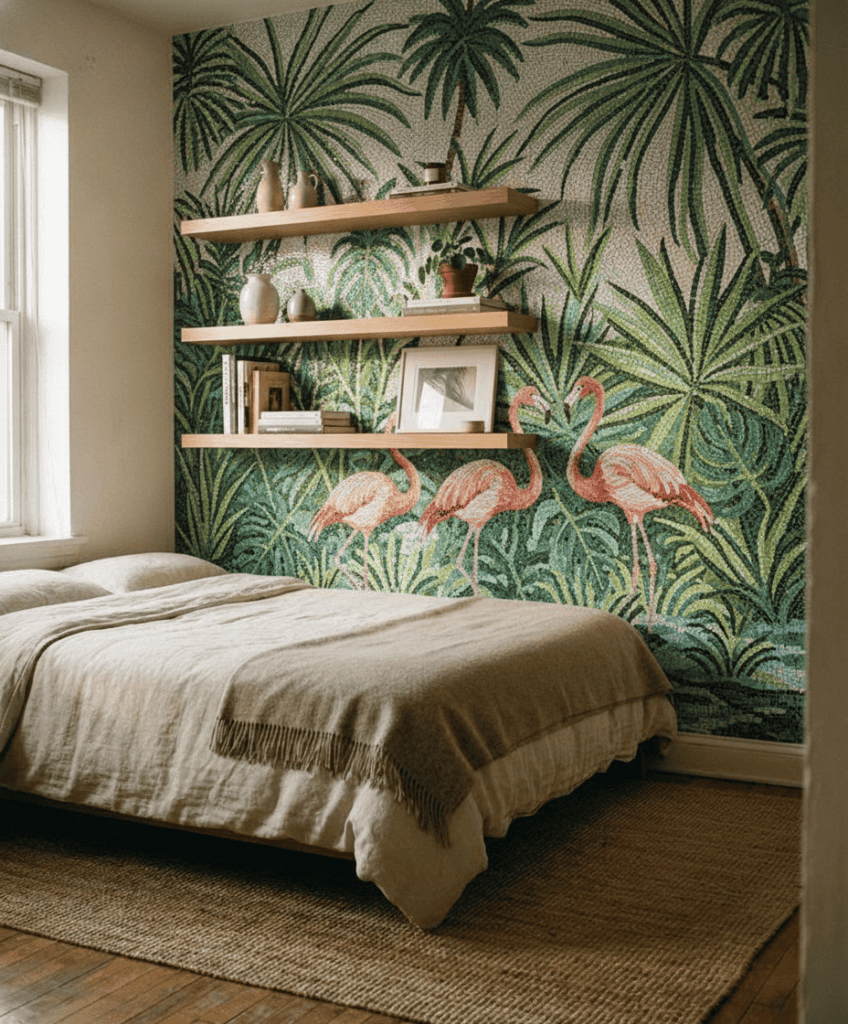
After: A Tropical Flamingo and Palm Leaf Mosaic Mural
In the after image, that same wall now holds a tropical mural: palm leaves and flamingos. The room instantly feels like it has an identity. The curves in the leaves also soften the straight lines of the shelves and furniture.
The trick here is restraint. If there are too many leaves or birds competing for space, the wall feels cluttered instead of lively. It helps to try a few versions: fewer leaves, a softer green, or one flamingo as the single focal point instead of several.
Transformation 2: The Curved Architectural Feature Wall
Straight walls are easy to picture. Curved ones are trickier, since the shape itself changes how a pattern reads. That’s why spaces transformed by AI Mosaic Studio are so useful, letting you preview the design before installation.
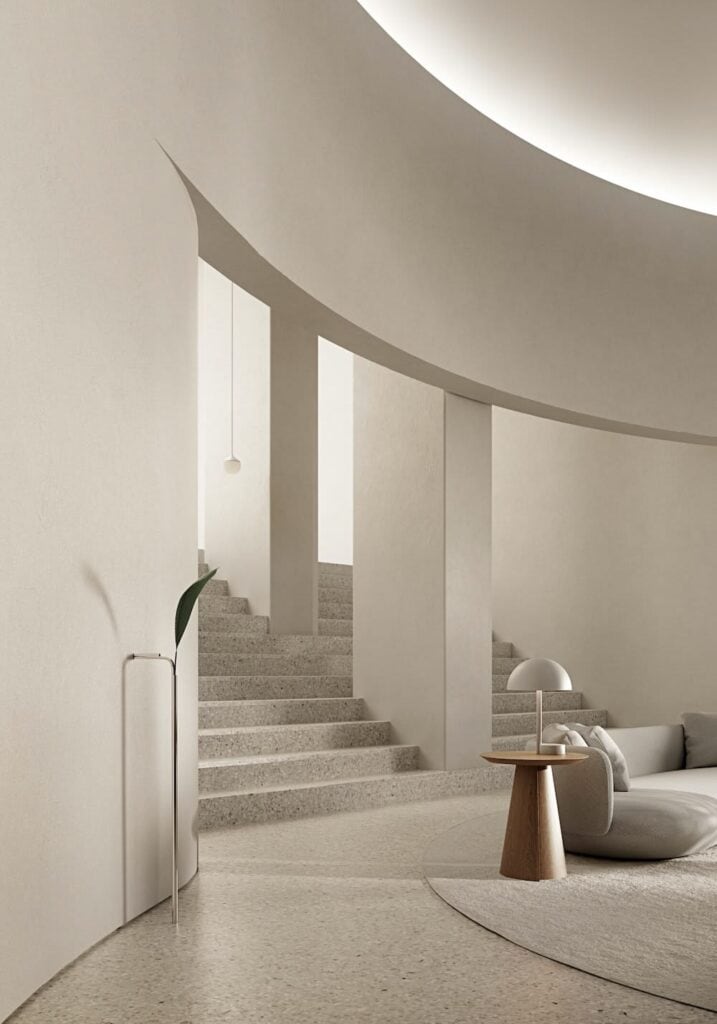
Before: A Plain White Curved Wall Lacking Definition
The original wall is plain white. It has an interesting curve, but with no pattern or color, that curve barely registers. From some angles, the wall almost disappears into the background.
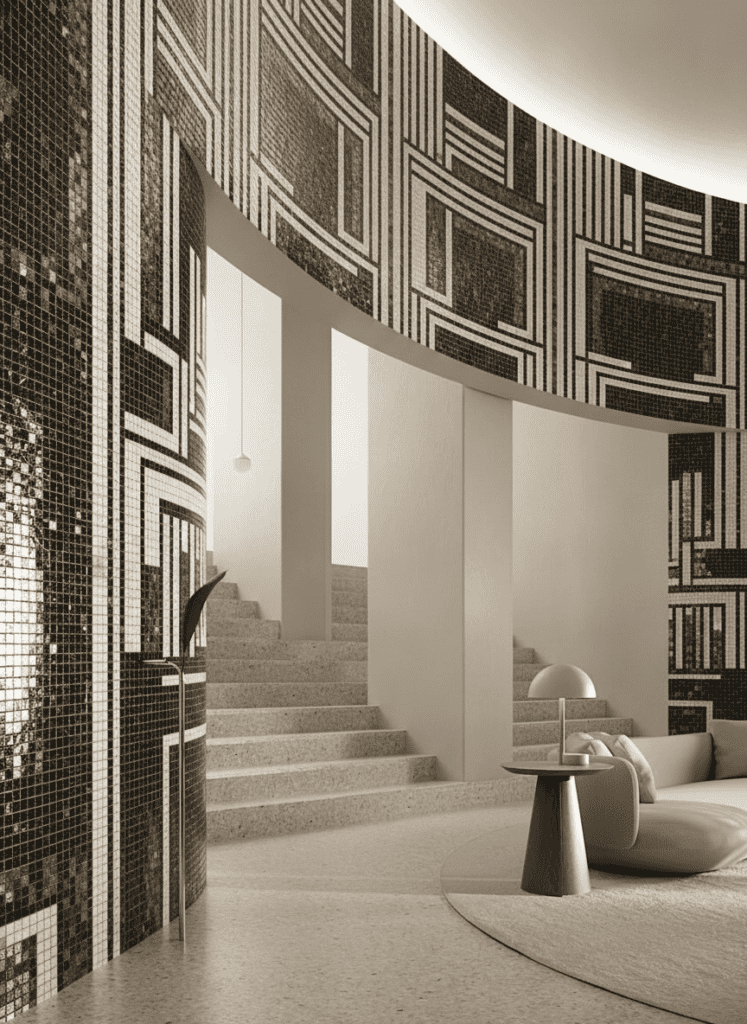
After: A Bold Geometric Black-and-White Mosaic Pattern
The after version adds a bold black-and-white geometric mosaic. The contrast makes the curve pop instead of hiding it. As the pattern repeats across the surface, your eye follows the shape of the wall and notices its depth.
Direction matters here too. Diagonal lines add movement. Horizontal lines can make a wall look wider, while vertical lines emphasize height. Bigger shapes feel calmer, and smaller repeating shapes feel busier. This is why spaces transformed by AI Mosaic Studio make it easier to compare different layouts before choosing the final design.
Transformation 3: The Skylight and Shower Ceiling
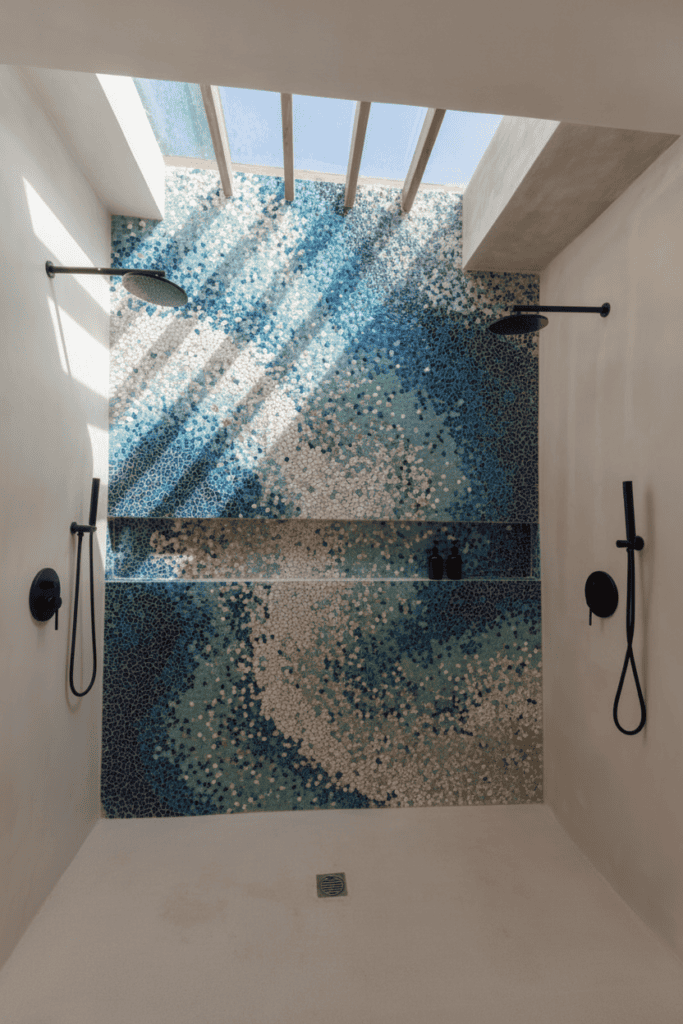
Ceilings usually get ignored in design. But skylight wells and shower ceilings can be some of the most interesting surfaces to work with.
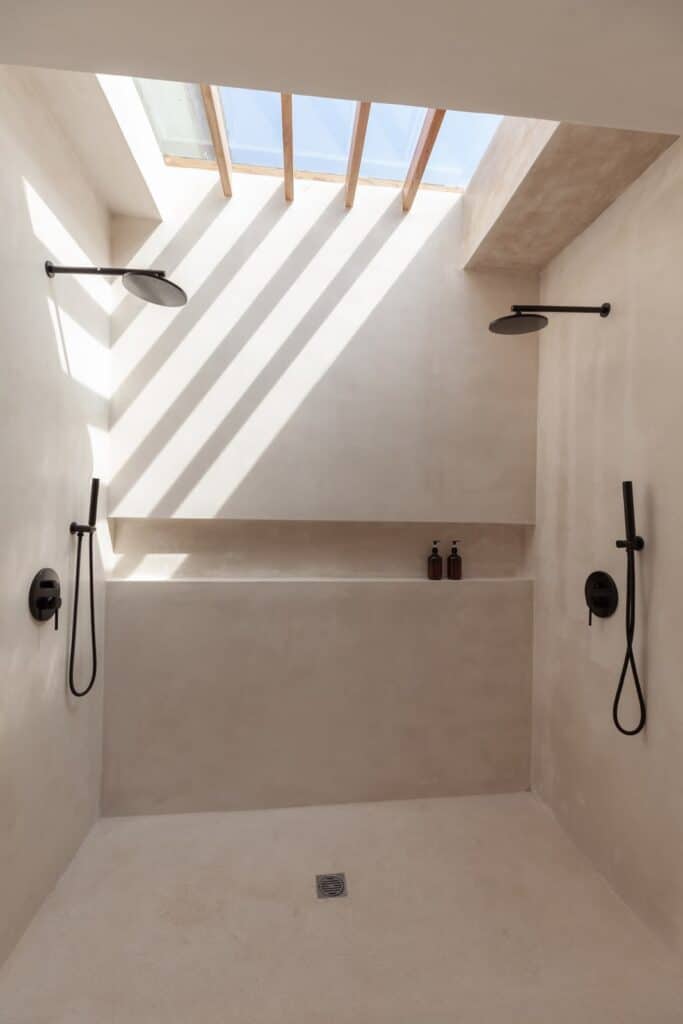
Before: A Neutral Skylight Well with Untapped Overhead Space
The original bathroom is bright and neutral, with a skylight well that’s architecturally interesting but visually plain. Bathrooms are often tight on wall space anyway, thanks to mirrors, vanities, and glass panels, so the ceiling is one of the few areas left untouched.
After: A Cascading Blue Mosaic Tile Treatment
Blue mosaic tile flows through the skylight and down into the shower ceiling. Your eye now moves upward instead of stopping at the walls. Blue also has an obvious connection to water, which fits a shower naturally. The pattern can suggest waves, rain, or open sky, or just stay abstract with layered shades of blue.
A ceiling reads differently than a wall. You view it from below, and the light hits it differently too. A flat image alone won’t tell you whether it works. A preview lets you test whether the color should fill the whole ceiling or stay inside the skylight well, and whether darker tones should sit at the edges or fade toward the light. Reimagine Your Own Bathroom Ceiling
Transformation 4: The Outdoor Garden Feature Wall
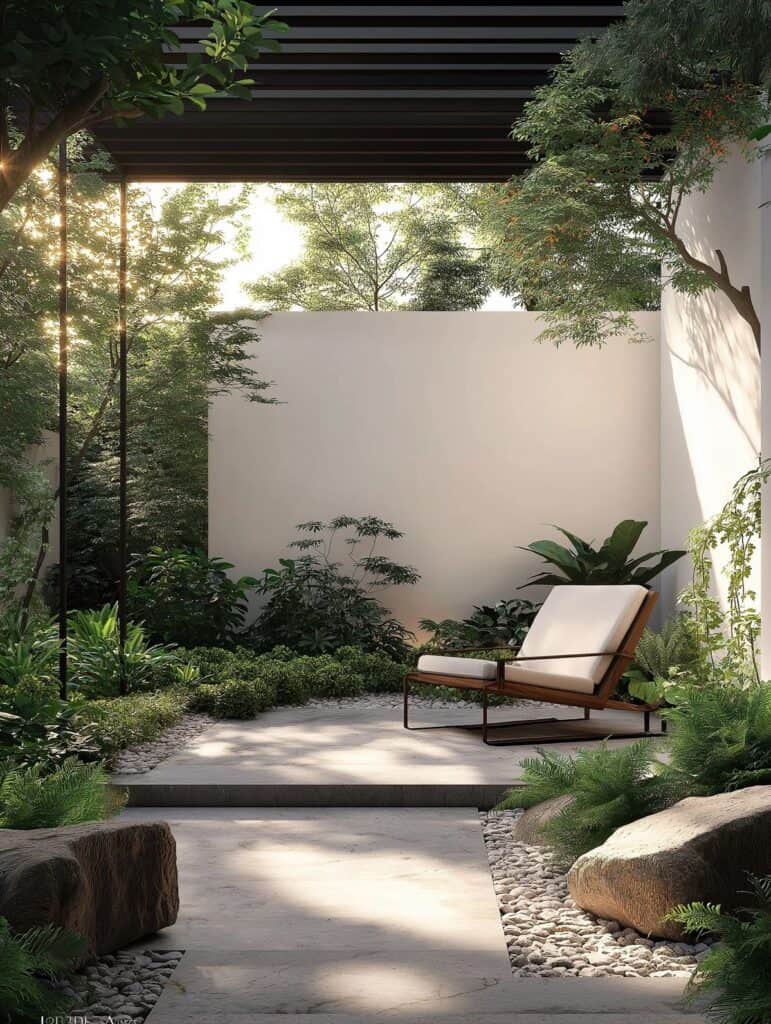
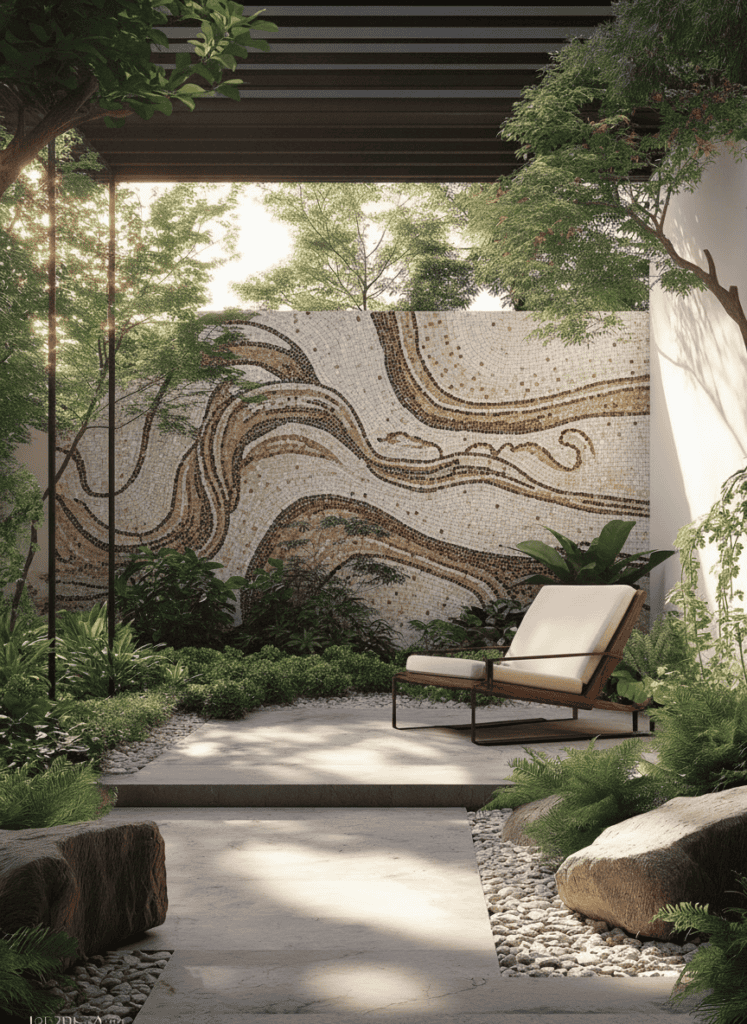
Outdoor spaces already have a lot going on: plants, natural light, changing scenery. Sometimes the wall next to all that is the plainest thing in sight. Many spaces transformed by AI Mosaic Studio show how the right mosaic design can turn that blank wall into a striking focal point.
Before: A Blank Exterior Wall Beside a Quiet Lounge Nook
The seating area is already comfortable, and the greenery softens things nicely. But the wall next to it just acts like a boundary. It doesn’t feel connected to the rest of the space.
After: A Sweeping Organic Wave and Wood-Grain Mosaic Mural
A flowing, organic mosaic wave shapes mixed with a wood-grain pattern takes over the wall. Instead of competing with the garden, it echoes it. The curved lines feel like they belong outdoors, without using literal flowers or leaves.
You could pull inspiration from tree rings, sand ripples, or rock formations nature-inspired without being literal.
Transformation 5: The Outdoor Wood-Slat Wall and Stone Bench
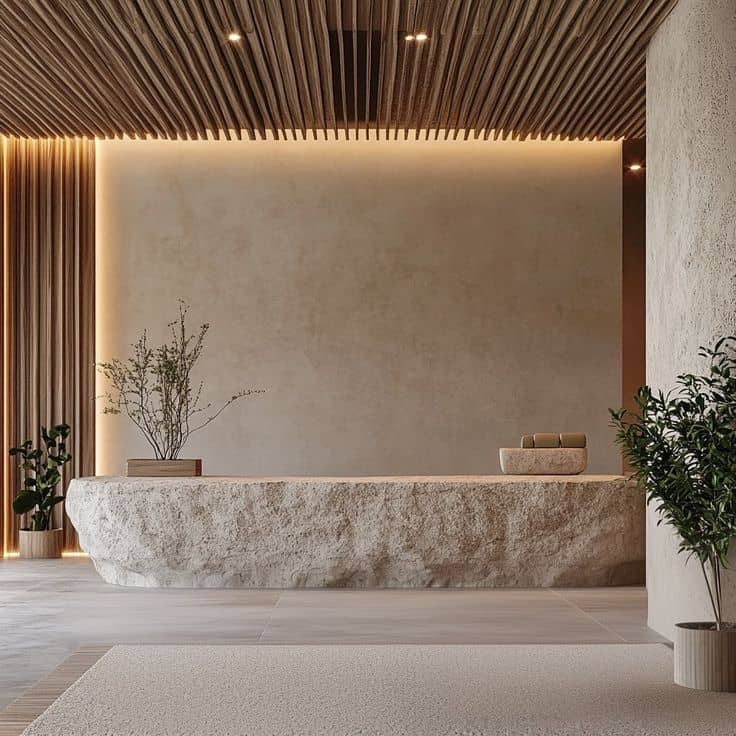
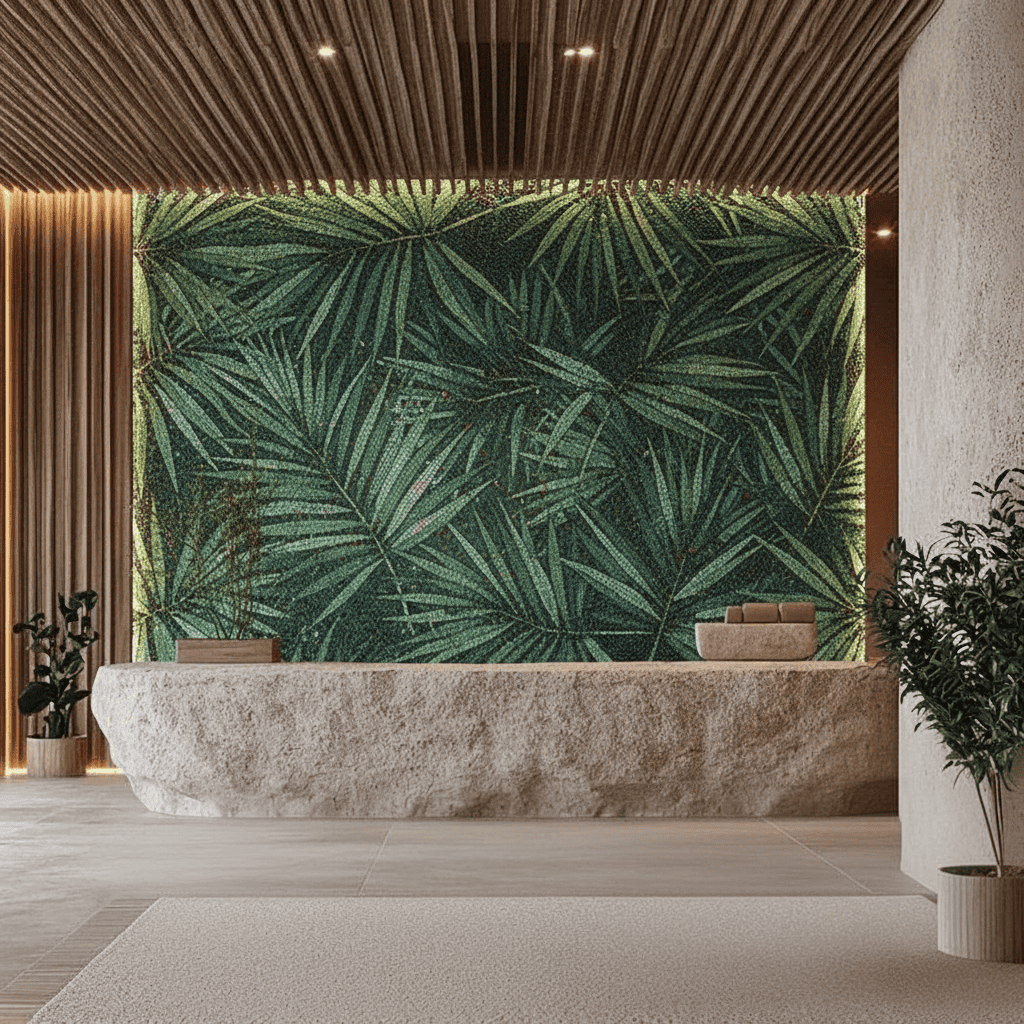
Not every wall starts blank. Some spaces already have strong materials in place, like wood, stone, or metal, and the challenge is adding to them without overwhelming the design. Spaces transformed by AI Mosaic Studio make it easier to see how a custom mosaic will complement existing materials before installation.
Before: Warm Wood Slats with an Empty Feature Wall
Warm wood slats, stone, and garden landscaping already give this space a solid foundation. The one plain wall left is a natural spot for something new, but it would be easy to overdo it.
After: A Lush Tropical Leaf Mosaic Backdrop
A tropical green leaf mosaic mural takes over the empty wall. The green connects the space to the surrounding garden, while the wood keeps its warmth and the stone bench keeps its texture. Nothing gets covered up; the mosaic is just one more layer.
How to Try AI Mosaic Studio on Your Own Space
You don’t need a finished idea to start. Maybe you just know the wall feels empty. Maybe you like botanical patterns but don’t know how big the leaves should be. That’s enough.
Start with a clear photo. It doesn’t need to be professional; just make sure the wall is visible and not hidden behind clutter. Keep nearby furniture, windows, and edges in the shot so you can judge the design in context, not in isolation.
Keep the surface easy to read. A wall blocked by plants, mirrors, or furniture is harder to work with. You don’t need to remove your furniture; just make sure the wall itself is visible.
Start simple with your description. You don’t need a complex prompt. Try something like: Tropical leaves, deep emerald and sage tones, calm and spacious.
Or: Black-and-white geometric pattern with bold curves.
Compare a few ideas on the same photo. Since the room stays the same, it’s much easier to tell what actually works: whether blue feels too cold, or green fits better, or a busy mural feels like too much.
Then take it a step further. Spaces transformed by AI Mosaic Studio give you a clear preview of what your room could become. Turning that vision into a real mosaic involves refining the exact dimensions, selecting the right materials, and planning the installation with a skilled mosaic artisan. Instead of starting with, “I don’t know what I want,” you begin with, “I know this is the design I love.” Start Your Real Space Transformation
Final Thought: Spaces Transformed by AI Mosaic Studio
Every wall in this post started as something ordinary: a bare bedroom corner, a plain curved surface, a quiet bathroom ceiling, a garden boundary, or a wood and stone patio. None of them needed new furniture or major architectural changes. They simply needed the right design in the right place. That’s the value of spaces transformed by AI Mosaic Studio. They remove the guesswork from “what if” by letting you preview a custom mosaic on your own wall before making a commitment. If there’s a wall in your home you’ve been overlooking, it might be the perfect place to begin.
FAQ’s
Do these before-and-after transformations require clear, professional-grade photography to work?
No. A clear smartphone photo is enough. Good lighting and a visible wall matter more than professional gear. Spaces transformed by AI Mosaic Studio start with a clear photo. For a wall, include nearby corners and furniture. Outdoors, include some of the landscape. In a bathroom, keep the main fixtures visible.
What happens if the AI accidentally maps a mosaic onto furniture, shelves, or foliage instead of the intended wall?
This happens more often with cluttered photos. Try a clearer shot where the wall isn’t blocked by plants, mirrors, or furniture. Spaces transformed by AI Mosaic Studio work best with clean reference images. Also keep in mind that this is a design preview, not a technical installation plan. Exact measurements and mapping come later.
Can I test multiple completely different design directions on the same uploaded space?
Yes, that’s actually the best way to use it. Keep the room the same and swap out the mosaic design idea: tropical, then geometric, then abstract. Since the space doesn’t change, it’s much easier to see what actually fits.
How accurately do these instant renderings portray the shine of glass mosaic or the texture of botanical murals?
Yes, that’s actually the best way to use it. Keep the room the same and swap out the mosaic design idea: tropical, then geometric, then abstract. Since the space doesn’t change, it’s much easier to see what actually fits.
How accurately do these instant renderings portray the shine of glass mosaic or the texture of botanical murals?
Not perfectly. A preview is great for color, layout, scale, and overall feel. Spaces transformed by AI Mosaic Studio provide an accurate design preview, but glass and tile look different under real daylight than they do indoors. Individual tiles also reflect light in ways a flat image cannot fully capture. Use the preview to choose the right direction, then confirm the texture, color, and finish with physical samples.
Once I love a before-and-after render, can MEC turn it directly into a custom physical order?
Spaces transformed by AI Mosaic Studio provide a strong starting point, but turning a preview into a physical mosaic takes more work. The design must be adapted to your exact wall dimensions, the right materials need to be selected, and the artwork refined for the mosaic technique itself. Even so, starting the conversation with “I like this direction” instead of “I’m not sure what I want” makes the entire design process much easier.