
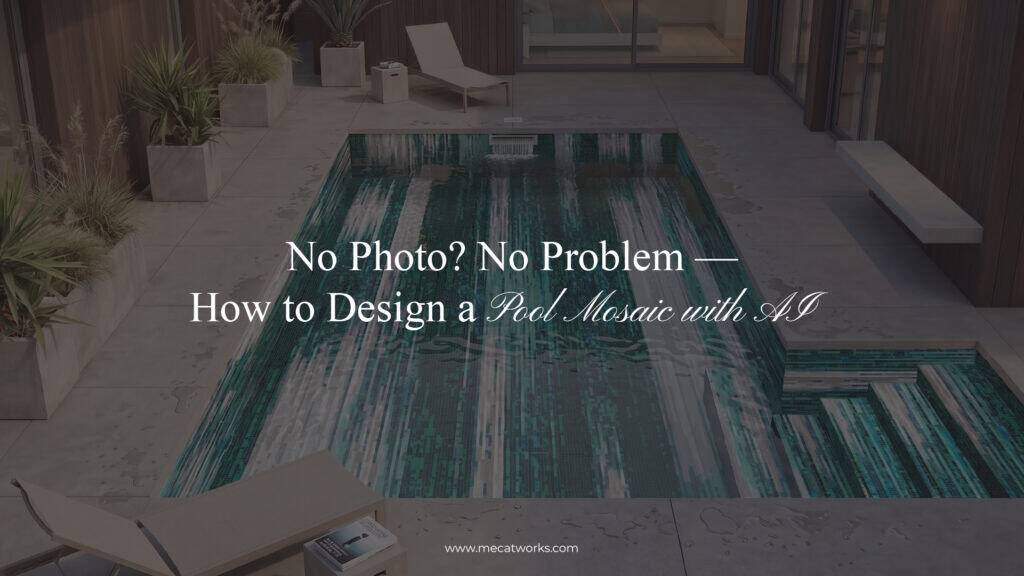
You don’t need a finished pool to start thinking about its mosaic design. Maybe yours only exists as an architectural plan, or you’re renovating a shell that’s already been stripped bare, or you just have an idea with no photo for an AI visualizer to work from.
Most digital design tools expect you to upload an image first, which makes early-stage visualization hard. MEC AI Studio’s Imagine From Scratch flips that: instead of starting with a photograph, you start with an idea. Describe the pool you’re picturing, the mosaic style, the colors, the atmosphere, and the AI generates a visual concept to build on.
The key is knowing where AI’s job ends and where mosaic designers, architects, pool contractors, and installers take over. This blog walks through that process from the perspective of someone actually using the Imagine From Scratch feature for the very first time.
Table of Contents
The Problem: What Do You Do When There’s No Pool to Photograph Yet?
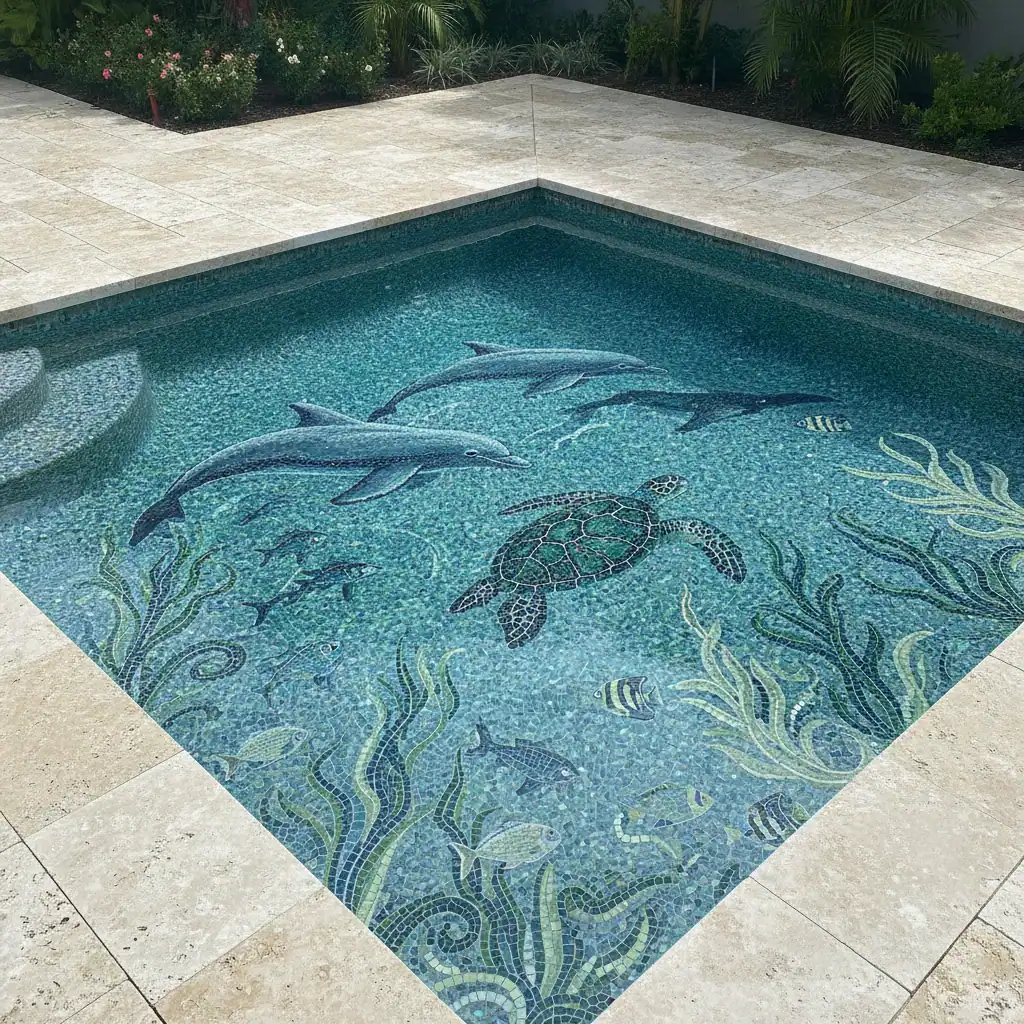
Imagine you’re designing a new backyard pool. You know roughly what you want. The pool will be rectangular with broad entry steps. The house has contemporary architectural design. And for this, you want the pool water to feel deep blue rather than bright turquoise. Most importantly, you don’t want a plain pool tiled floor. You want art beneath the water, but something that will last a long time. There’s only one problem.
The pool isn’t constructed yet. There’s nothing to photograph.
That creates a limitation with conventional image-based visualization tools. Those systems normally need an existing photograph because they place a new finish or design over a real surface. Early-stage pool projects don’t always have that luxury. At this point, you may only have:
- A basic architectural plan
- Pool dimensions
- A rough hand sketch
- Material references
- Screenshots of designs you like
- Landscape plans
- Images of the property
- A preferred color palette
- A mental picture of the finished pool
Sometimes you have even less. You might simply know: “I want a long modern pool with a dark blue abstract glass mosaic that looks like moving water.”
That’s still enough to begin exploring. Our AI tool to imagine a pool design from scratch helps bridge the visual gap between an idea and a formal design. It allows you to design a pool mosaic with AI even when there’s no existing pool to photograph. Instead of asking, “What can we place in this photograph?” you can explore a more useful early-stage question: “What could this future pool look like?”
Who Can Use AI to Design a Pool Before It’s Built?
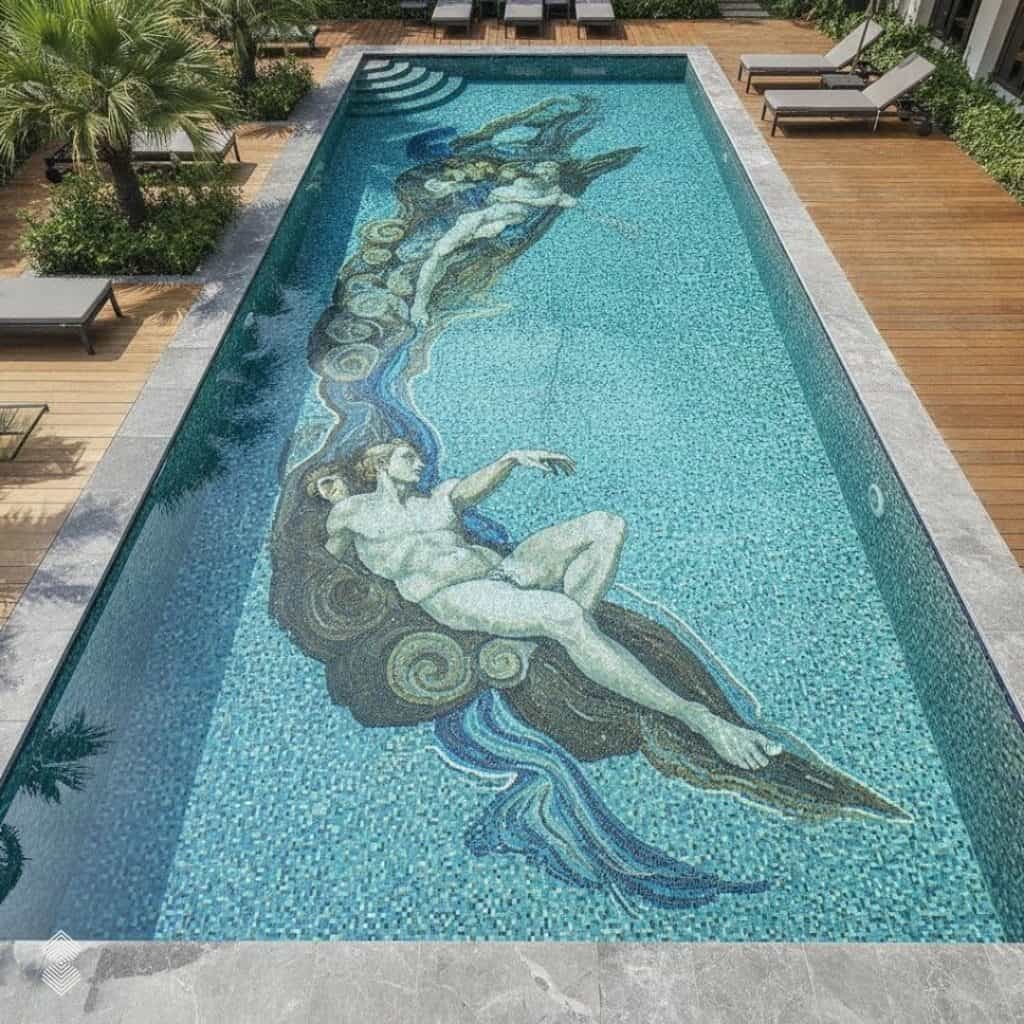
The ability to create a pool mosaic without photo input isn’t limited to interior designers or architects only. That tool can be handy for anyone who needs a mosaic art project.
Homeowners Building a New Pool
For a homeowner, the early planning stage can feel surprisingly abstract. You may spend months discussing dimensions, excavation, filtration systems, coping, decking, drainage, lighting, and finishes. Yet imagining what everything will look like together isn’t always easy.
A mosaic adds another creative layer. Instead of waiting until the pool shell exists, you can use AI visualization for new builds to explore the artistic direction early. Now the discussion isn’t limited to tiny tile samples. You’re looking at an entire visual idea. From there, you can ask yourself:
- Is the color palette too dark or light?
- Does the mosaic compete with the architecture?
- Would a softer gradient work better?
- Should the design feel more geometric?
- Do I want obvious artwork or something subtle?
- Should the edges remain quiet while the center carries the movement?
These are design questions. AI helps you reach them earlier, before the custom mosaic fabrication and installation process.
Renovation Projects Starting From an Empty Shell
Renovation presents a slightly different problem. Technically, the pool already exists. Visually, however, it may no longer resemble a finished pool. Because the old tile may have been removed. The interior could be stripped back to plaster or concrete. Steps might be changing. The waterline could be under reconstruction.
A photograph of that condition doesn’t always help someone imagine the final result. For this, our mosaic AI studio can still provide you with everything you’re looking for in a pool mosaic design. Rather than forcing the existing shell into the visualization, you can describe what the renovated pool is supposed to become. Suppose you’re converting a dated beige-tiled pool into a contemporary feature. You might explore:
Concept A: A deep cobalt gradient pool with lighter aqua toward the shallow end.
Concept B: An abstract sea-glass composition combining turquoise, jade, blue, and pale accents.
Concept C: A geometric mosaic that mirrors lines in the surrounding architecture.
Instead of being limited by how the old pool looked, you can design a pool mosaic with AI around the new direction you want to create. Once the renovation progresses and clear photographs become available, you can use them for more accurate, site-specific mosaic visualization.
Designers and Architects Pitching Concepts
For architects, landscape designers, and interior designers, communication can become just as important as ideation. A client may understand a floor plan perfectly yet struggle to picture the artistic character of a pool.
Words such as “fluid,” “minimal,” “monochromatic,” or “ocean-inspired” mean different things to different people. And mosaic architectural vocabulary may get though to understand for common people.
A quick concept AI image can narrow that gap for them. Like an architect might describe, what they want in a simple prompt like: “An infinity-edge pool for a modern villa with a restrained dark teal mosaic and soft abstract movement running lengthwise.”
Or even: “A tropical courtyard pool with emerald and aqua glass mosaic tones inspired by reflections through dense greenery.”
Using these prompts, designers can create a visual representation of the mosaic for their clients, showing how the design could look within the intended pool and surrounding space. This gives clients a clearer idea of the colors, pattern, scale, and overall appearance before the final mosaic design moves into development.
Introducing MEC AI Studio Imagine From Scratch: Design Without an Existing Pool Photo
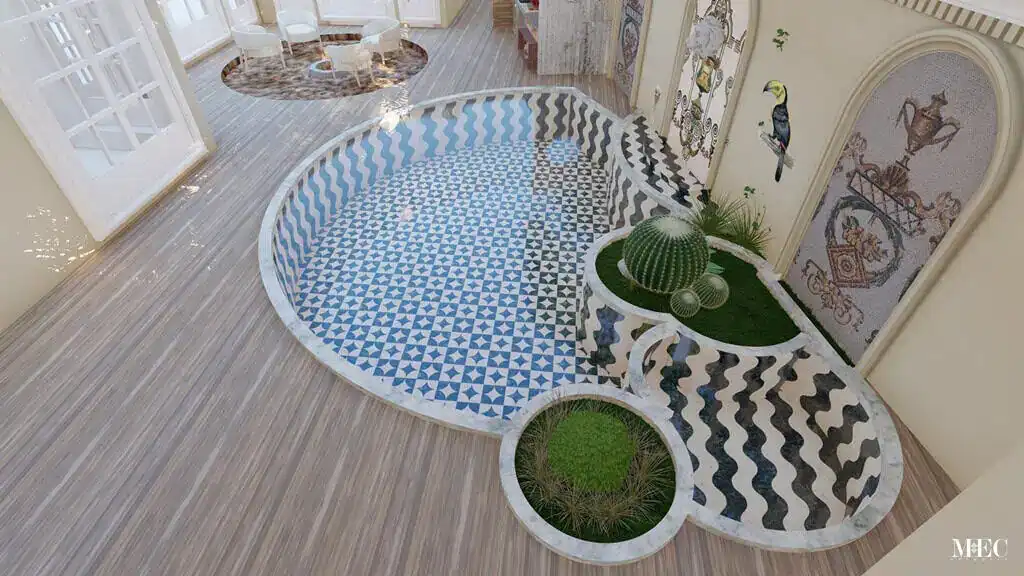
MEC AI Studio isn’t only built around uploading an existing photograph. MEC presents the platform as a way to explore bespoke mosaic concepts, whether you’re customizing an existing room or imagining something entirely new. Like:
With Customize Your Space, the visual context already exists. The AI works from your uploaded environment. But with Imagine From Scratch, you supply that context through language. Your description becomes the raw material. That’s why the quality of your prompt matters. “Blue pool mosaic” leaves almost everything open to interpretation.
Compare it with: “Large rectangular contemporary villa pool with an abstract full-floor glass mosaic. Use flowing cobalt, turquoise, aqua, and deep marine blue forms inspired by ocean currents. Keep the composition sophisticated and avoid literal fish or marine animals.”
Now the AI understands far more:
Pool type + shape + setting + mosaic placement + material character + visual style + palette + inspiration + exclusions.
A useful prompt isn’t necessarily long. It just needs to contain the right information.
How to Design a Pool Mosaic With AI, Step by Step
If you’re wondering how to design a pool mosaic with AI without a photo, don’t start by trying to write the perfect prompt. Start with the pool. Then build the visual idea one decision at a time.
Step 1: Describe the Pool You’re Picturing
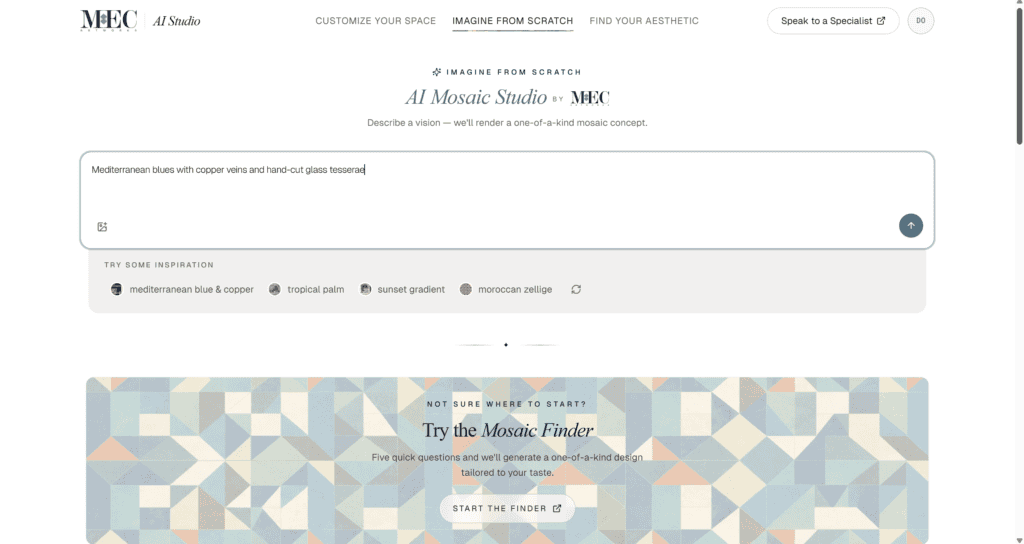
Start with basic information. You aren’t preparing engineering documents. You are giving the AI enough visual context to understand what kind of environment it should create. Include details such as:
- Indoor or outdoor pool
- Residential or hospitality setting
- Rectangular, curved, freeform, or lap pool
- Small, medium, or large scale
- Infinity edge if applicable
- Steps or shallow lounging area
- Architectural style
- Surrounding materials
- General lighting conditions
Step 2: Choose a Style, Shape, and Color Direction
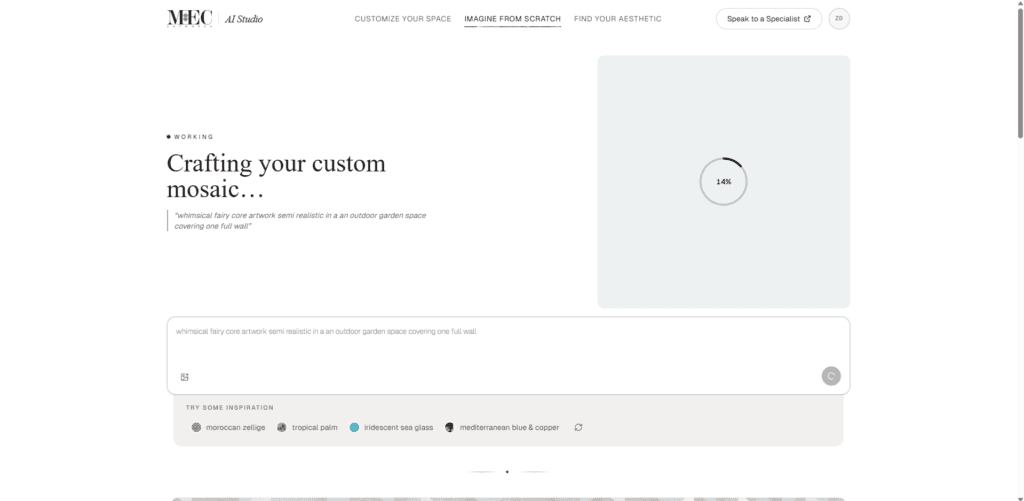
Now comes the fun part. You don’t need to know formal mosaic terminology before using an AI pool design tool. However, learning a few design terms can help you communicate your idea more accurately. Like:
- Abstract Mosaic: Useful when movement is desired but there is no need to create a concrete image.
- Geometric Mosaic: Useful when working with modern structures since geometric repetition will complement the clean lines of the structure.
- Landscape Mosaic: Design doesn’t necessarily need to be a picture. It could be inspired by the images of shorelines, aerial shots of the ocean, desert formations, tropical plants, etc.
- Marine Mosaic: Marine themes can vary from subtle to illustrative, such as waves, coral formations, marine and sea life.
When choosing a color palette, always consider your personal preference, the existing theme of the space, and the overall look you want for the pool. Don’t rely on just one color direction. Try the same pool design with different combinations, such as cobalt, navy, and turquoise for a deeper look or aqua, sea glass, pale blue, and white for something lighter.
You can also explore some combinations beyond blue pool tile colors like: emerald, jade, sand, or warmer mineral tones. Comparing several palettes makes it much easier to see what works best with the pool, surrounding architecture, and your overall design vision.
Step 3: Generate and Refine Your Mosaic Pool Concept
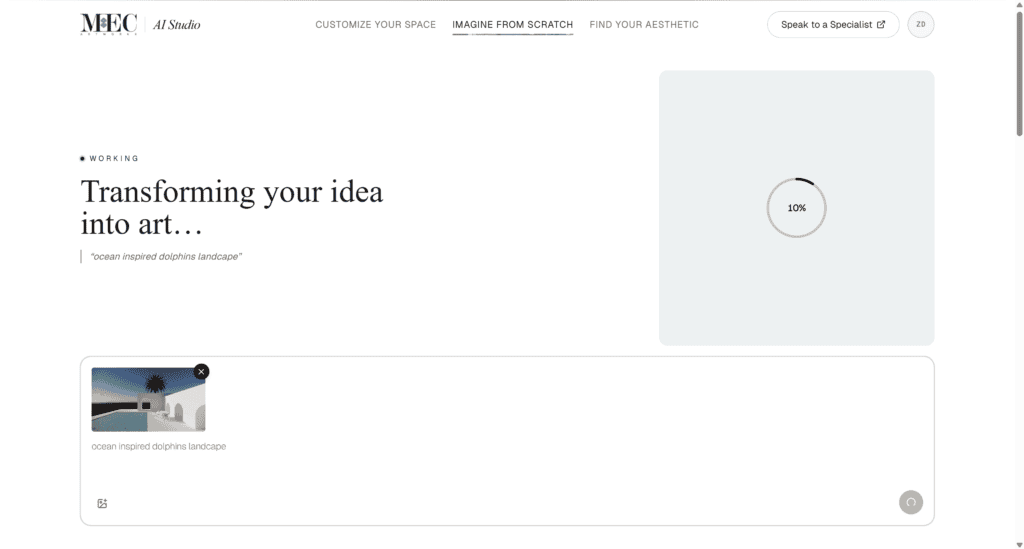
Once the description feels specific enough, generate the concept. Don’t treat the first image like a final answer. Treat it like the first sketch. Look at it critically. And ask yourself:
- Is the pool shape close to what I’m imagining?
- Does the mosaic feel too heavy?
- Are the colors balanced?
- Is the pattern appropriately scaled?
- Does the artwork complement the architecture?
- Is there enough visual movement?
- Does one color dominate too much?
- Would the mosaic still feel appealing across a large real pool?
Then refine the description based on your likeness. Just keep in mind that change one or two variables at a time. For example:
- Version 1: Large rectangular pool with flowing turquoise and navy abstract mosaic.
- Version 2: Keep the same composition but reduce the navy and introduce more aqua.
- Version 3: Keep the palette but make the flowing pattern larger and less detailed.
What You Can Explore Without a Single Photo
One advantage of a pool mosaic without photo input is your freedom of choice. An existing photograph can be useful because it grounds the concept in reality. Yet it also anchors the design to what already exists.
Starting from scratch is like and a open box with plenty of choices. You can explore not just a mosaic pattern but the relationship between artwork, architecture, color, and pool geometry design.
Pool Mosaic Style: Abstract, Geometric, Landscape, and More
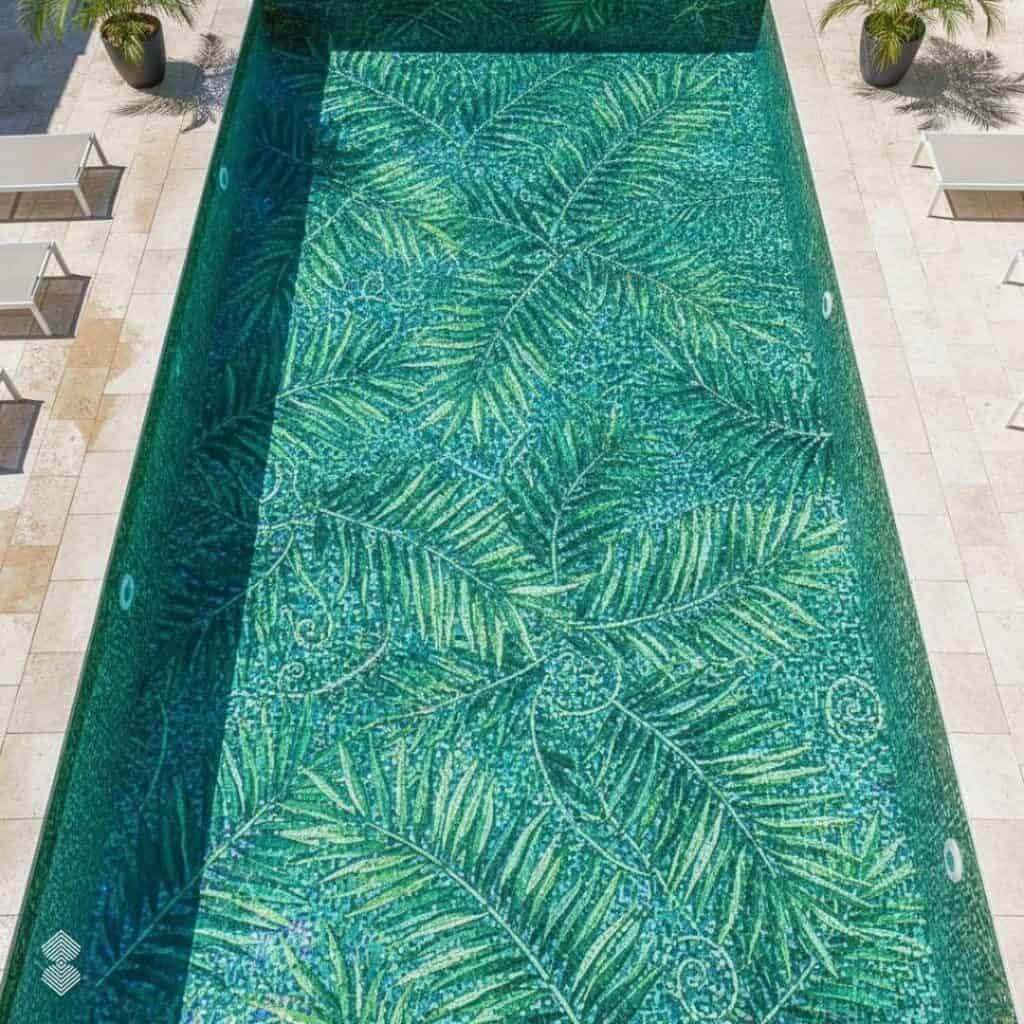
Before settling on one mosaic style, try your pool with a few different design directions. A pattern that looks appealing on its own may feel very different once you see it across the entire pool. Testing several styles can help you understand which one works best with your pool. You can experiment with custom pool design options like:
- Abstract designs for fluid movement and a more artistic pool floor.
- Geometric patterns for a clean, structured, and architectural look.
- Landscape-inspired mosaics for a more detailed statement design.
- Marine-inspired designs with waves, fish, coral, or other aquatic elements.
- Gradient mosaics for subtle color transitions without a busy pattern.
- Medallion designs when you want a defined focal point in the center of the pool.
Try two or three very different options before making your final choice. Seeing each style within the pool makes it easier to compare the overall effect rather than choosing a design based only on a reference image.
Pool Color Palettes: From Deep Marine Tones to Iridescent Sea Glass
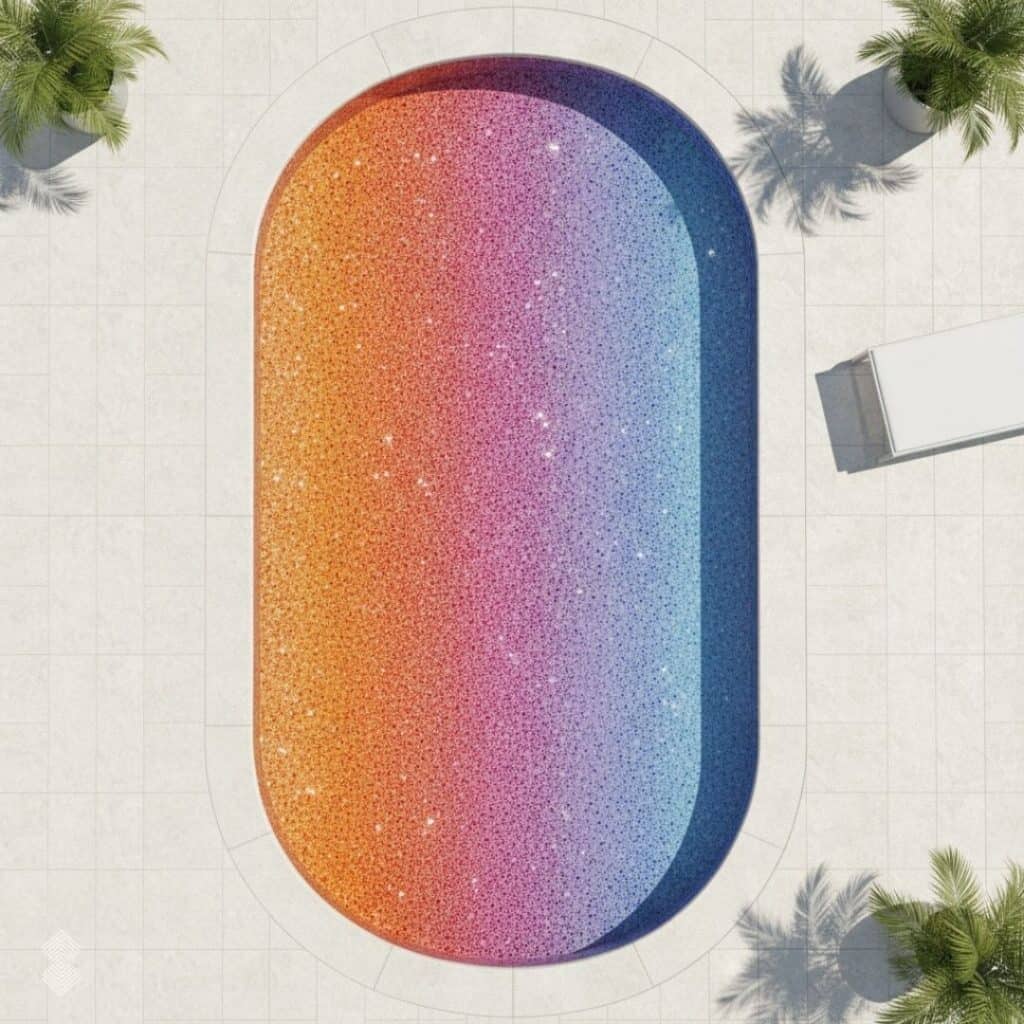
Don’t limit your pool mosaic to one shade of blue. Use the early visualization stage to test different color combinations and see how they change the overall character of the pool. Keep the surrounding architecture, landscape, and atmosphere in mind when comparing each option. Some color palette combinations you can try include:
- Deep Marine: Navy, cobalt, dark teal, and aqua for a deeper and more dramatic look.
- Tropical Aqua: Turquoise, aqua, sea green, and pale blue for a brighter, resort-inspired pool.
- Sea Glass: Soft teal, jade, watery blue, and pale mineral tones for a calmer and more subtle appearance.
- High Contrast: Navy, white, and bright turquoise when you want geometric patterns or borders to stand out clearly.
Pool Shape and Layout Possibilities
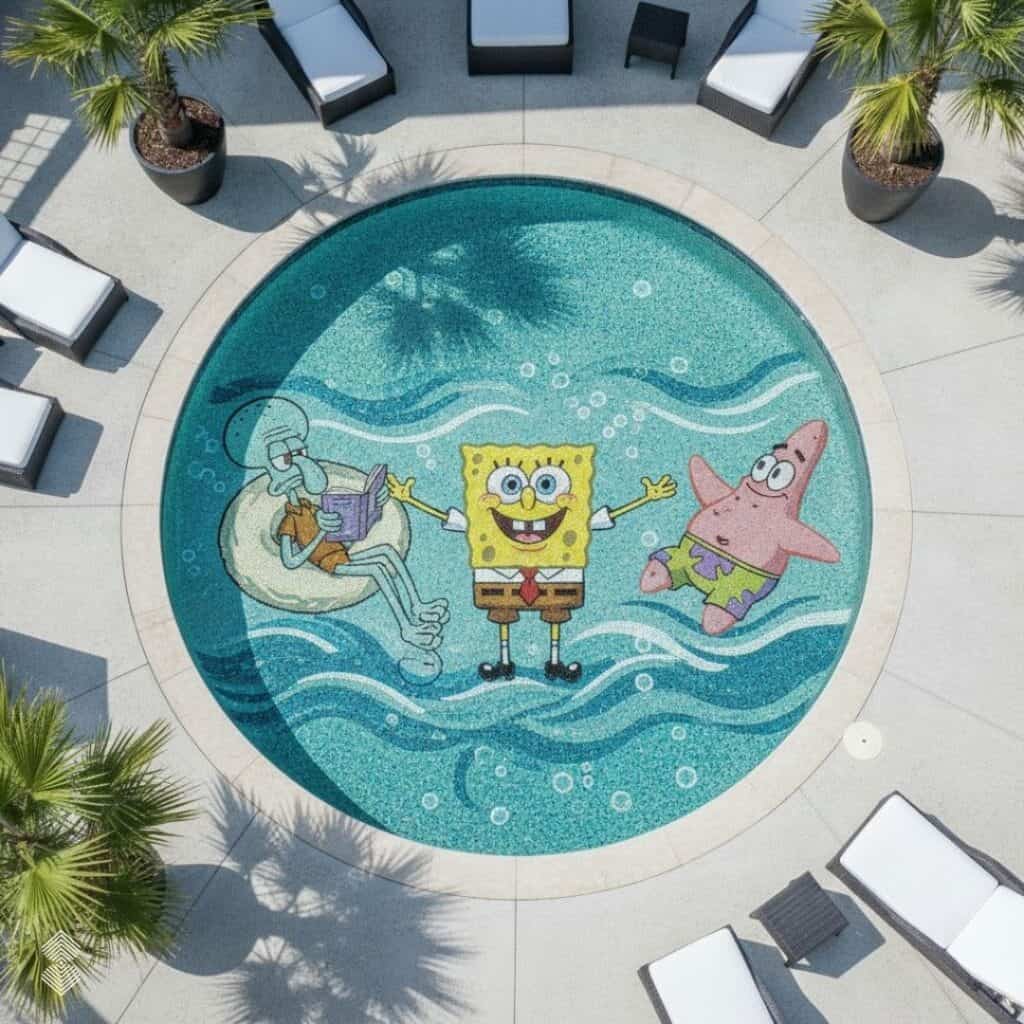
A pattern that works beautifully in a rectangular pool may not have the same effect in a curved or freeform pool. When creating your visual, mention the pool shape in the prompt and try designs that naturally follow its proportions. For example:
- Rectangular pools: Try gradients, geometric patterns, long abstract compositions, or central artwork.
- Infinity pools: Explore ocean gradients, horizon-inspired designs, and subtle abstract movement.
- Curved or freeform pools: Test waves, botanical motifs, marine artwork, and flowing patterns that follow the curves.
- Lap pools: Use long bands, linear patterns, minimal designs, or gradients running along the pool length.
- Large villa or resort pools: Experiment with larger murals, abstract artwork, marine scenes, or bold compositions that remain visible from a distance.
From AI-Generated Pool Design to Real Mosaic Materials
An AI visual gives you the design direction, but the final artwork must work with real mosaic materials. Digital images can show almost any color, while physical mosaics depend on available glass or marble tesserae, their size, finish, and color range.
For pool mosaics, MEC designers translate the approved visual into a design that can actually be handcrafted. This includes deciding:
- The closest available glass colors
- Suitable tessera sizes
- Color and gradient transitions
- How colors will appear underwater
- Tessera direction for movement and flow
The final mosaic is not simply a copy of the AI image. The concept is refined around real materials and mosaic craftsmanship so it can work successfully in the finished pool.
Final Thought: From AI Pool Mosaic Concept to a Pool You Can Actually Build
You don’t need a finished pool to start exploring your mosaic design. With MEC AI Studio, you can design a pool mosaic with AI by describing your vision, exploring different styles, and testing color palettes before construction is complete. Once the direction that appeals to you is discovered, the concept could be taken to the level of professional design, considering actual dimensions, glass or marble choice, tessera size, color transitions, production process, and installation. The pool mosaic design created by the artificial intelligence will allow you to picture the possibility, while the designers and artisans at MEC will help you realize the concept.
FAQs
Do I need any photo or sketch at all to design a pool mosaic with AI?
No. If you’re using an Imagine From Scratch workflow, you can begin by describing the pool and mosaic you have in mind. A photograph becomes useful when you want the visualization to relate closely to an existing environment. A sketch or architectural plan can also become valuable later when the mosaic moves toward professional development.
How accurate is an AI-generated pool design if my pool hasn’t been built yet?
Think of the result as a conceptual visualization rather than an architectural drawing. It can communicate atmosphere, color, mosaic style, approximate placement, and overall design direction very effectively. It shouldn’t determine exact dimensions, drainage, slopes, structural details, tile quantities, panel layouts, or engineering requirements. Those decisions require verified project information.
Can I switch between Imagine From Scratch and Customize Your Space once I have real photos?
The two approaches serve different stages of the same design journey. Imagine From Scratch is useful when no suitable photograph exists. Once the pool or surrounding space is available to photograph, a photo-based visualization can help you explore the mosaic within the real environment. MEC’s current AI Studio also includes a photo-upload workflow that can place bespoke mosaic concepts into spaces such as pools, floors, walls, backsplashes, and entryways.
Once I like a generated design, can MEC turn it into actual construction and material specs?
A preferred AI concept can become a visual brief for professional design development. The next stages require actual project dimensions and material decisions. Designers can then interpret the concept according to the pool geometry, refine the artwork, select suitable glass or marble, determine tessera scale, and develop the mosaic for fabrication. The AI image should therefore be treated as the beginning of that process rather than the final production document.